 Just Chicken In
Guides
Step by step, with the real screens. Swipe or scroll sideways to see each step.
Set it up for yourself
About two minutes. You need the phone numbers or emails of the people you want told, or someone who will follow you in the app.
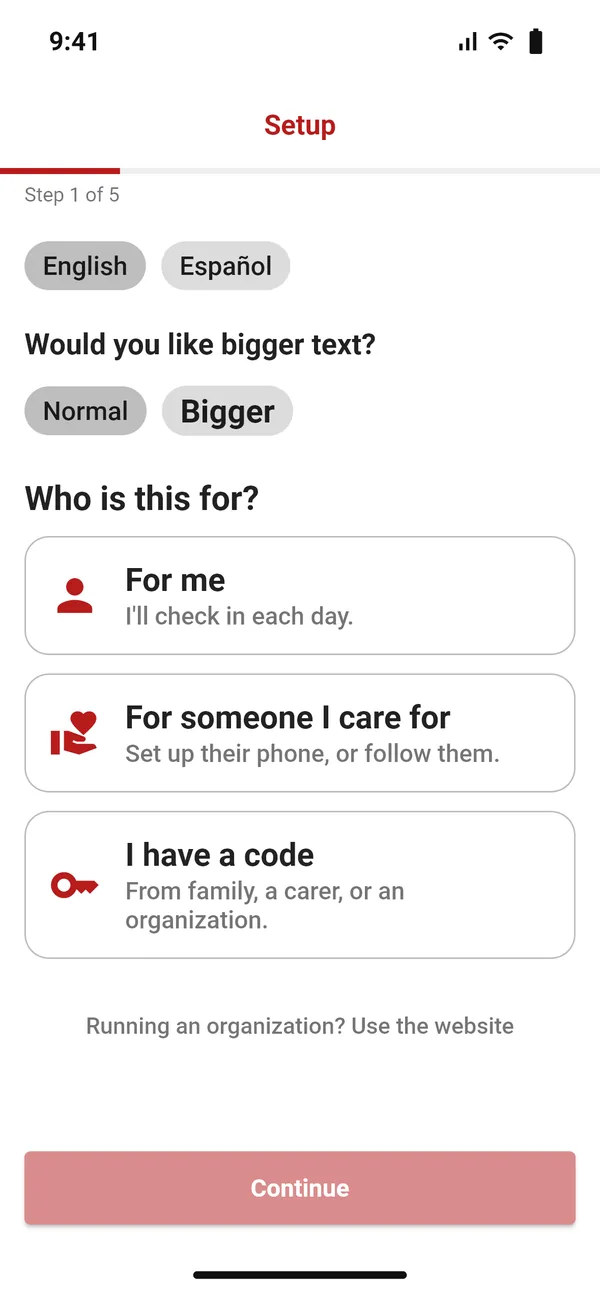
Pick your language and text size, then tap For me.
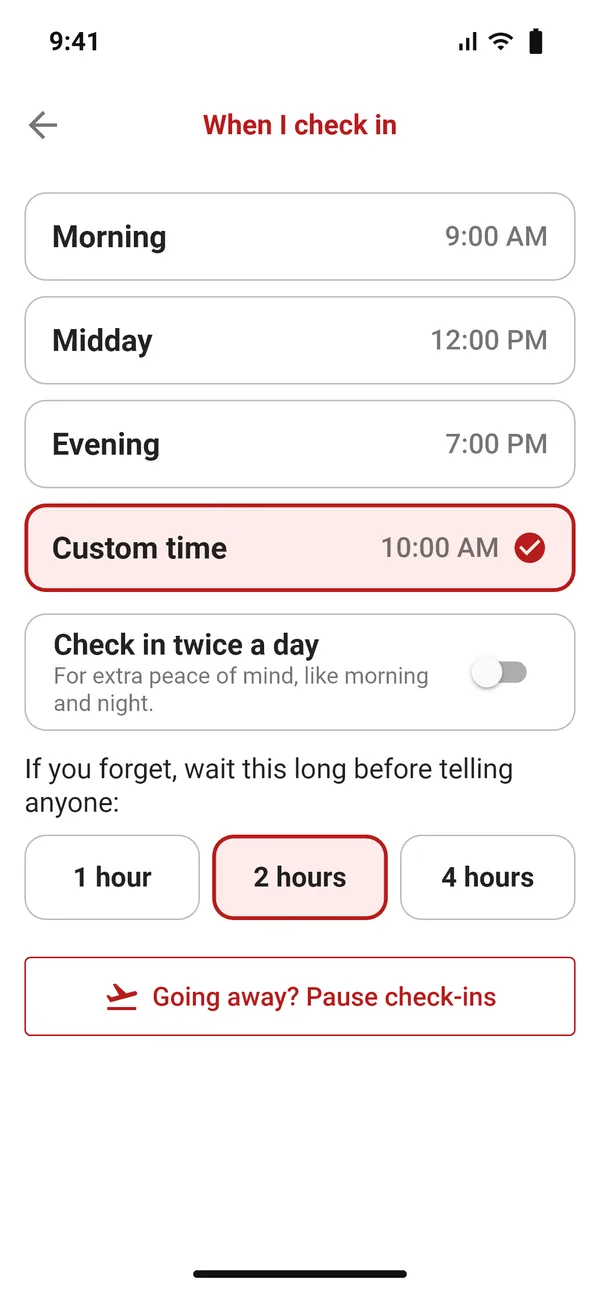
Choose when you'll check in, and how much extra time before anyone is told.
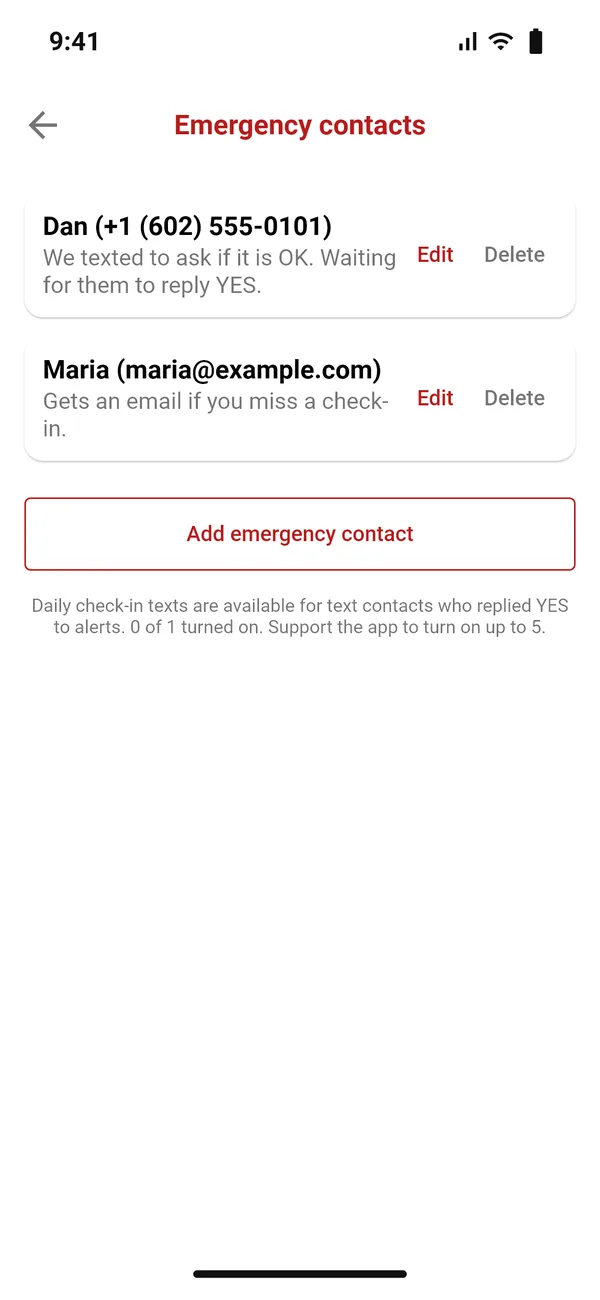
Add the people to tell, or have someone follow you in the app instead. Text contacts get one message asking them to reply YES.
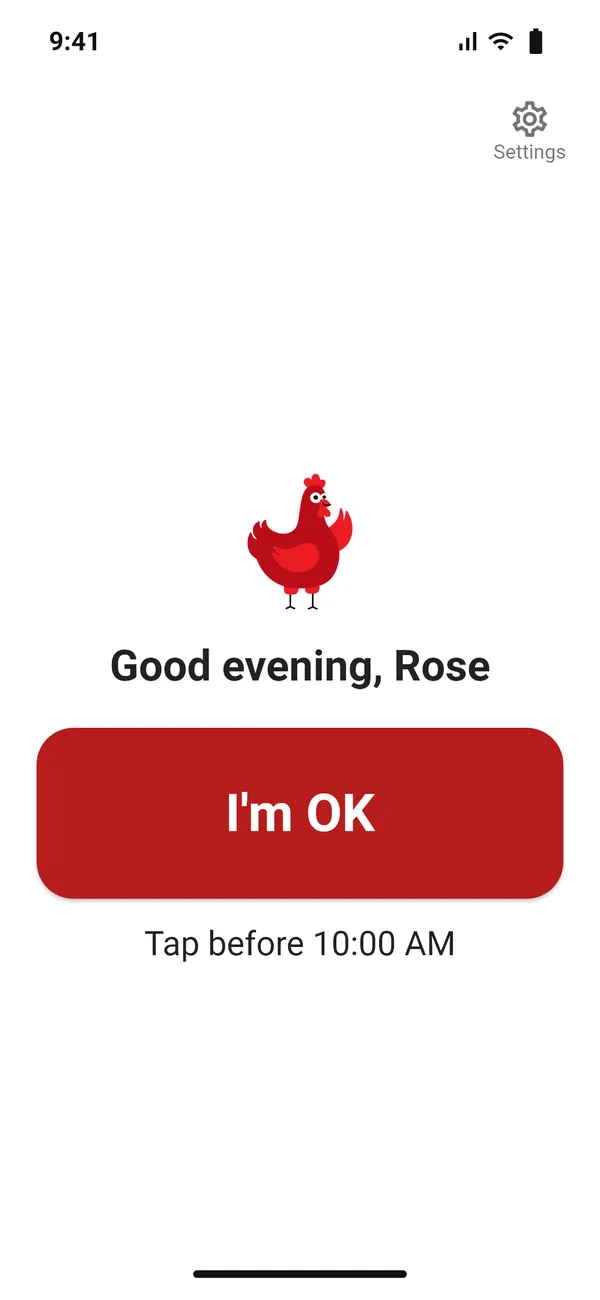
That's it. Tap I'm OK once a day.
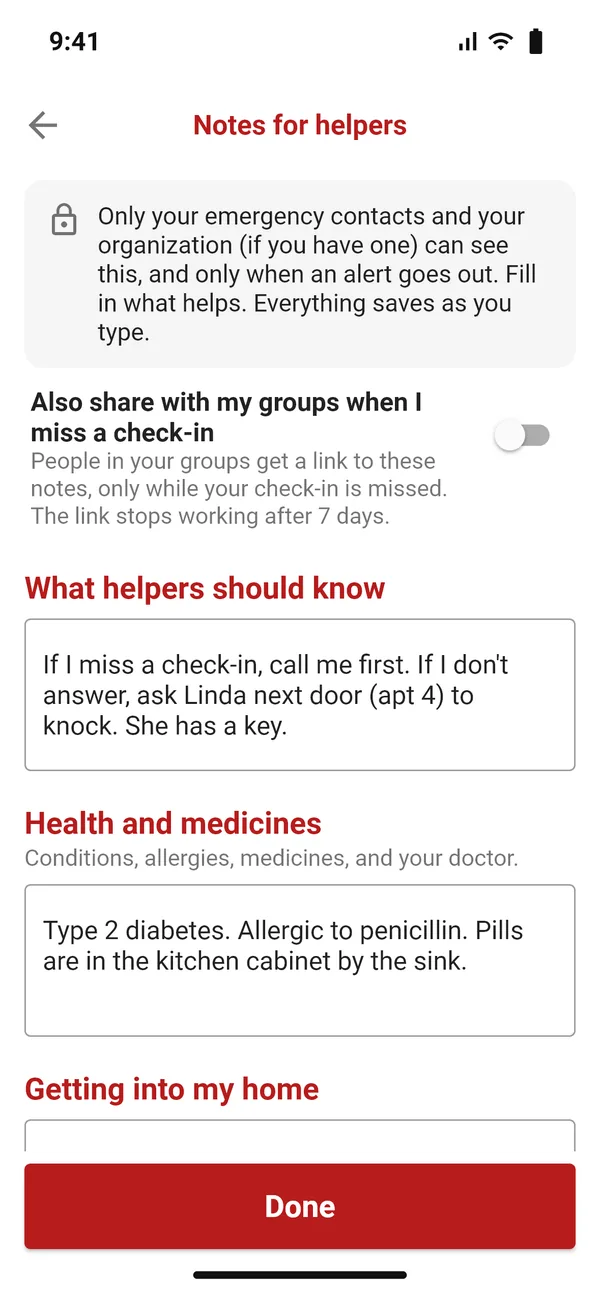
Optional: in Settings, add notes for helpers. Pets, keys, medicines.
Set it up for a parent, or someone you care for
You do the setup on your phone. They type one code on theirs and get one big button. You can lock their settings with a PIN so nothing gets changed by accident.
On your phone, tap For someone I care for.
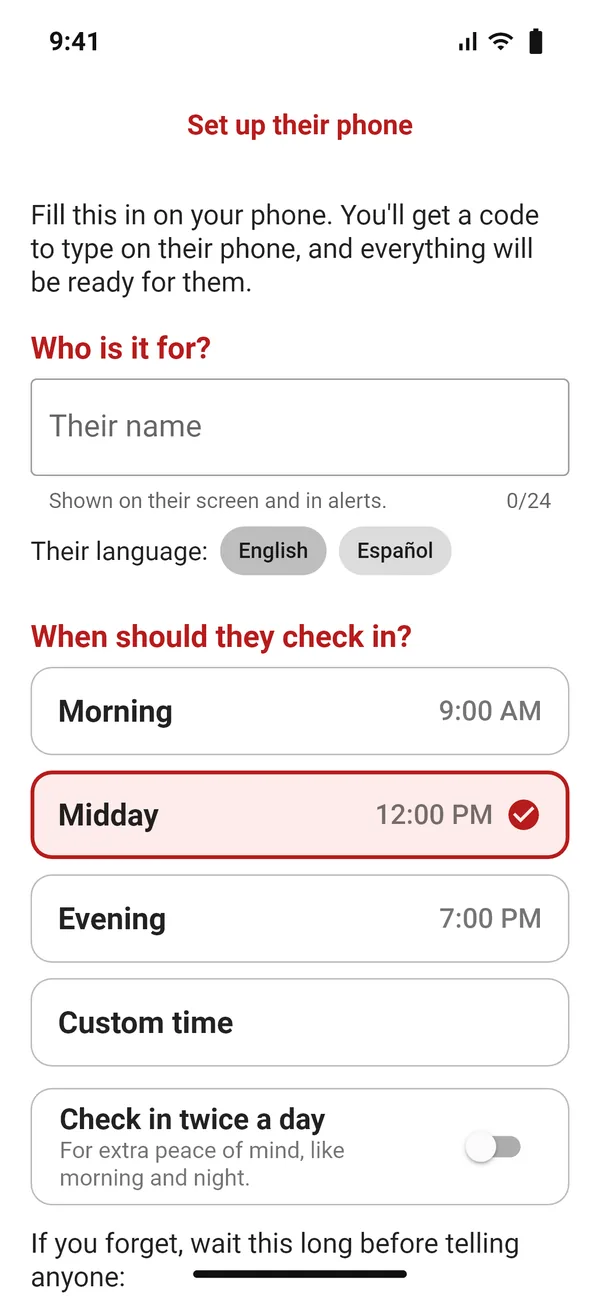
Fill in their name, language and check in time. You get a code.
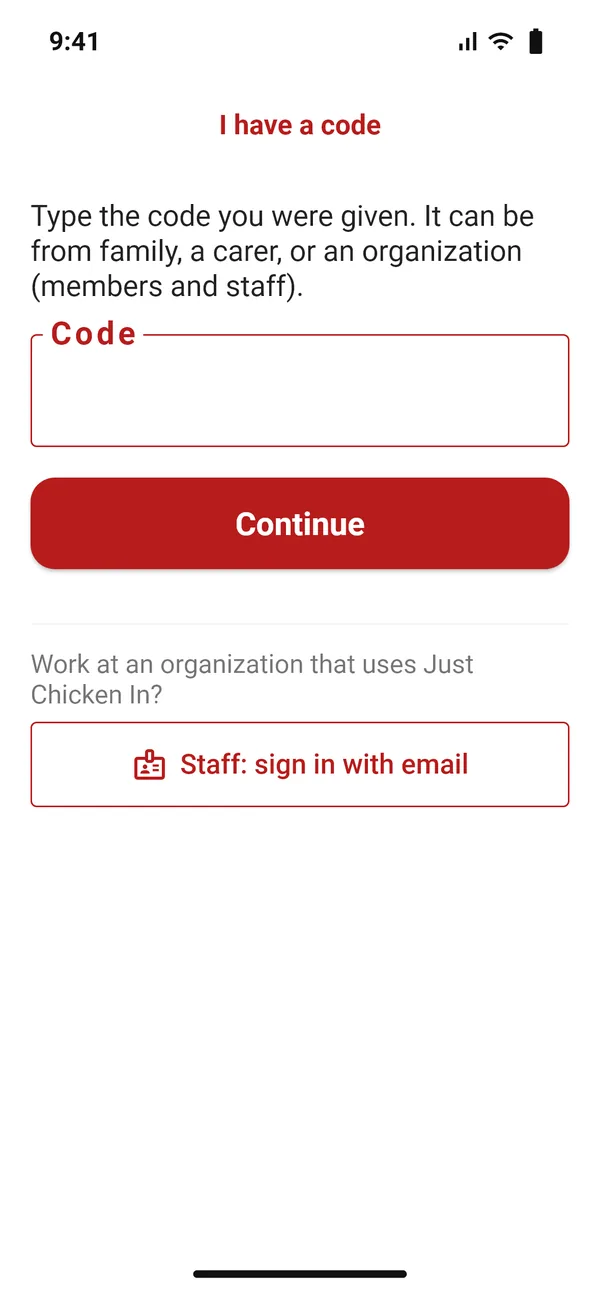
On their phone: install the app, tap I have a code, and type it.
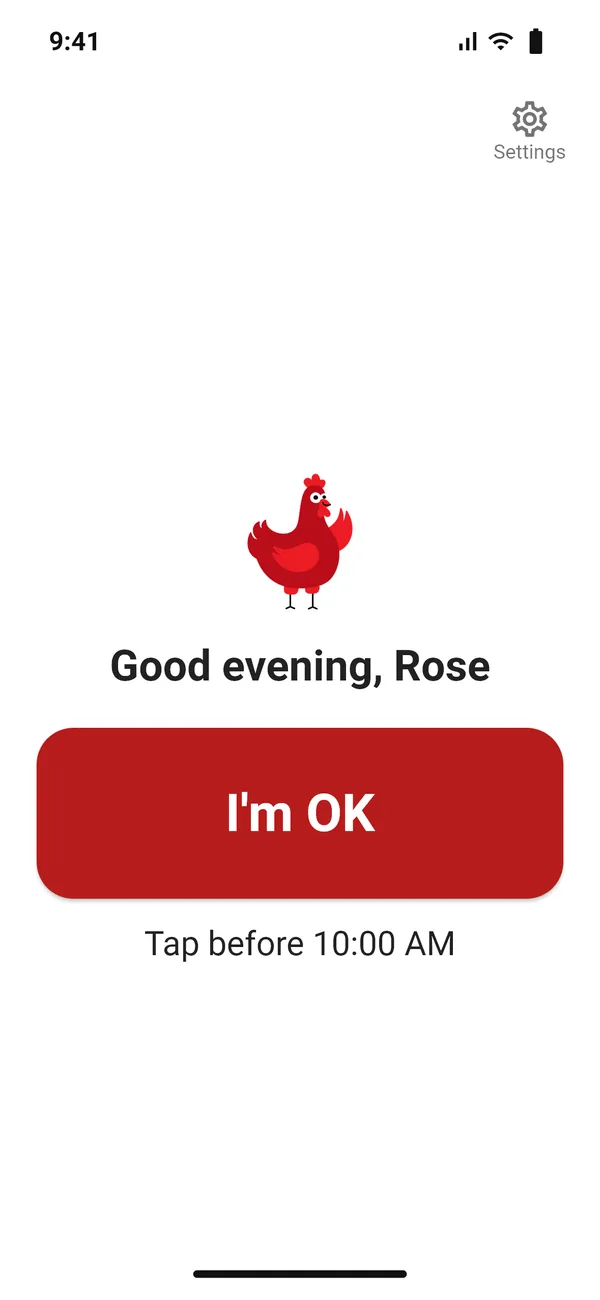
Their phone shows one big button. You follow them and see each check in.
Follow someone
Following is free and you don't need your own check in. The person you follow makes a code in Settings, Who gets told, People following you, and sends it to you.
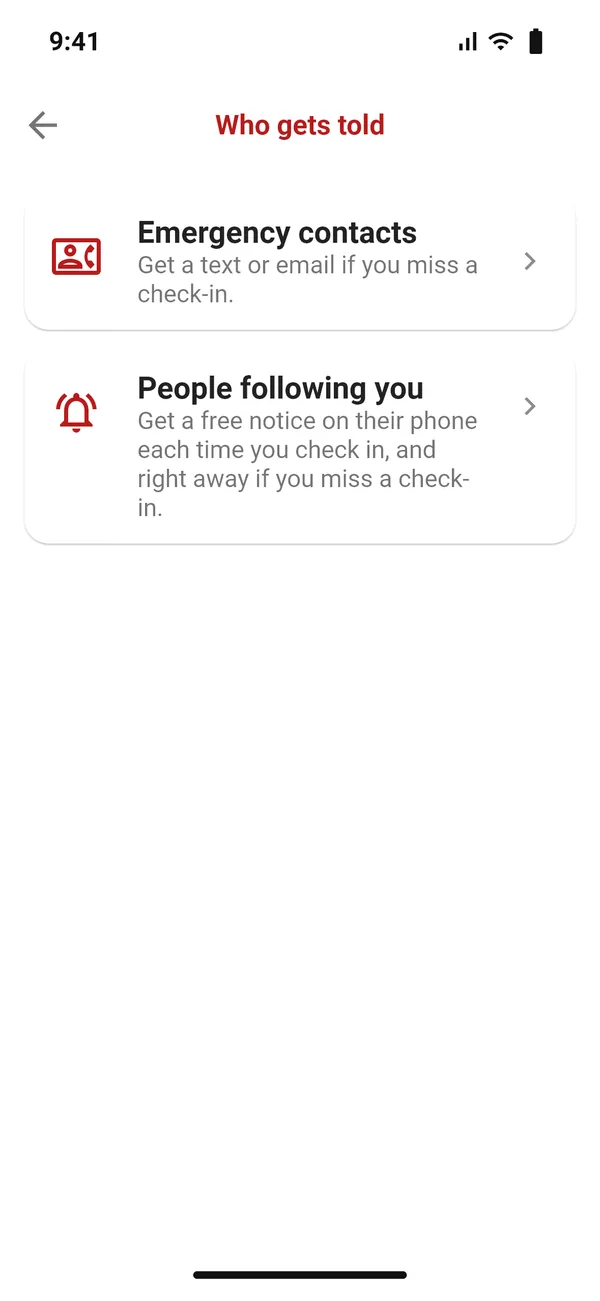
They tap People following you and share a code.
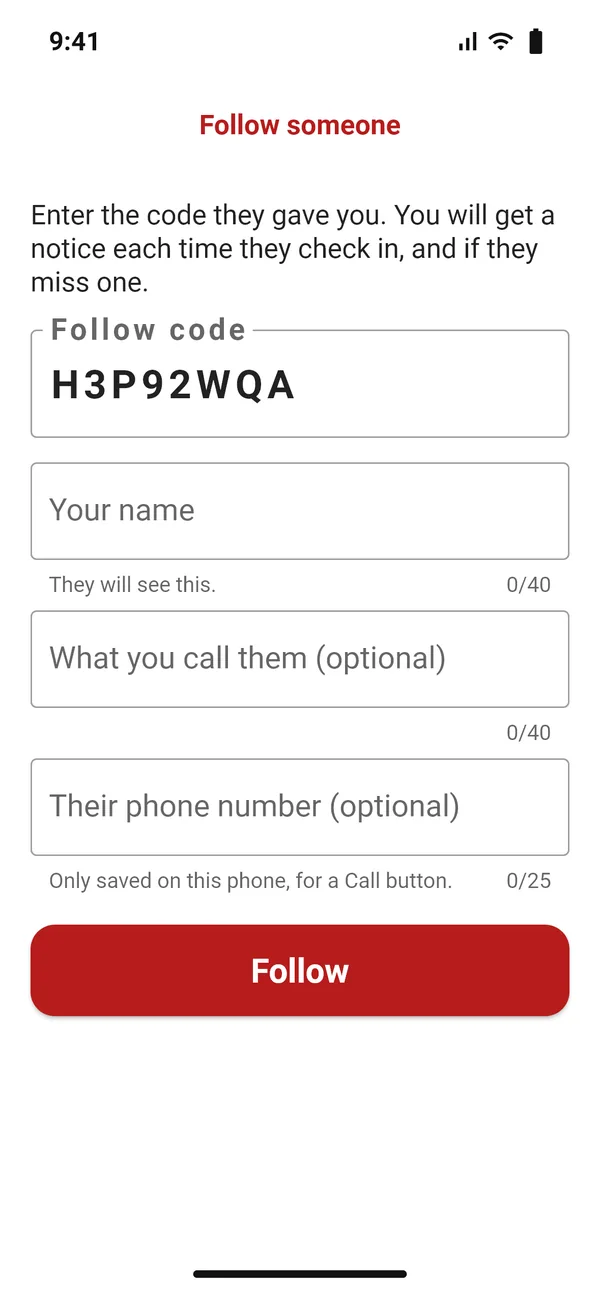
You type the code and your name. Add their number if you want a Call button.
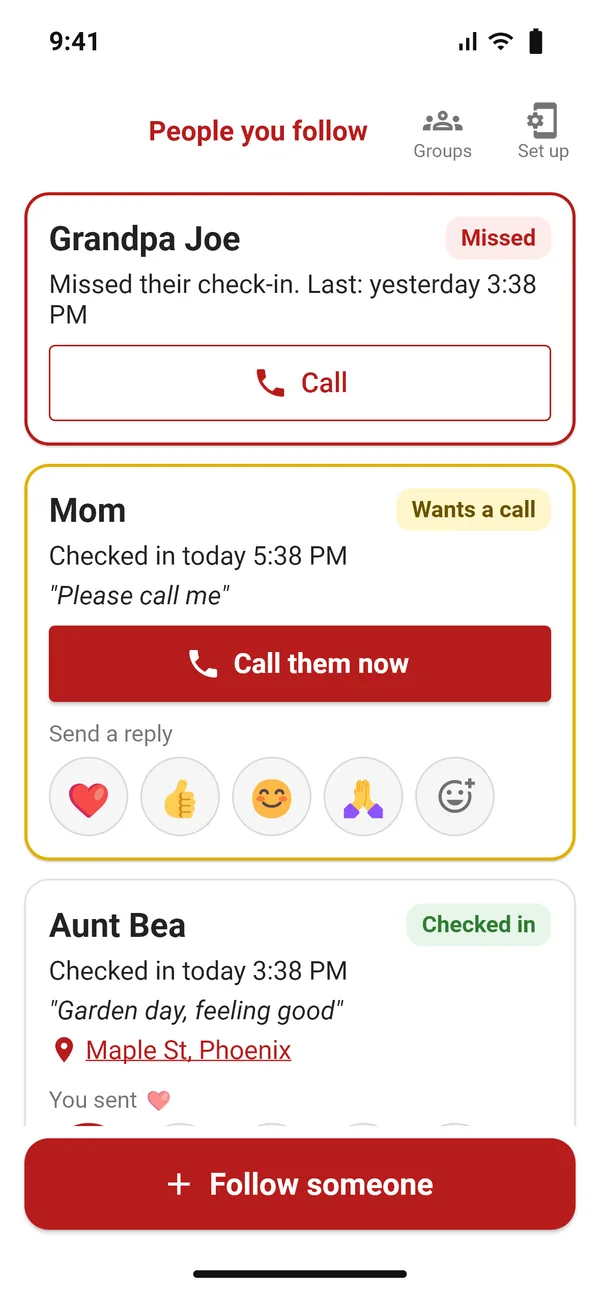
You get a notice each time they check in, and right away if they miss.
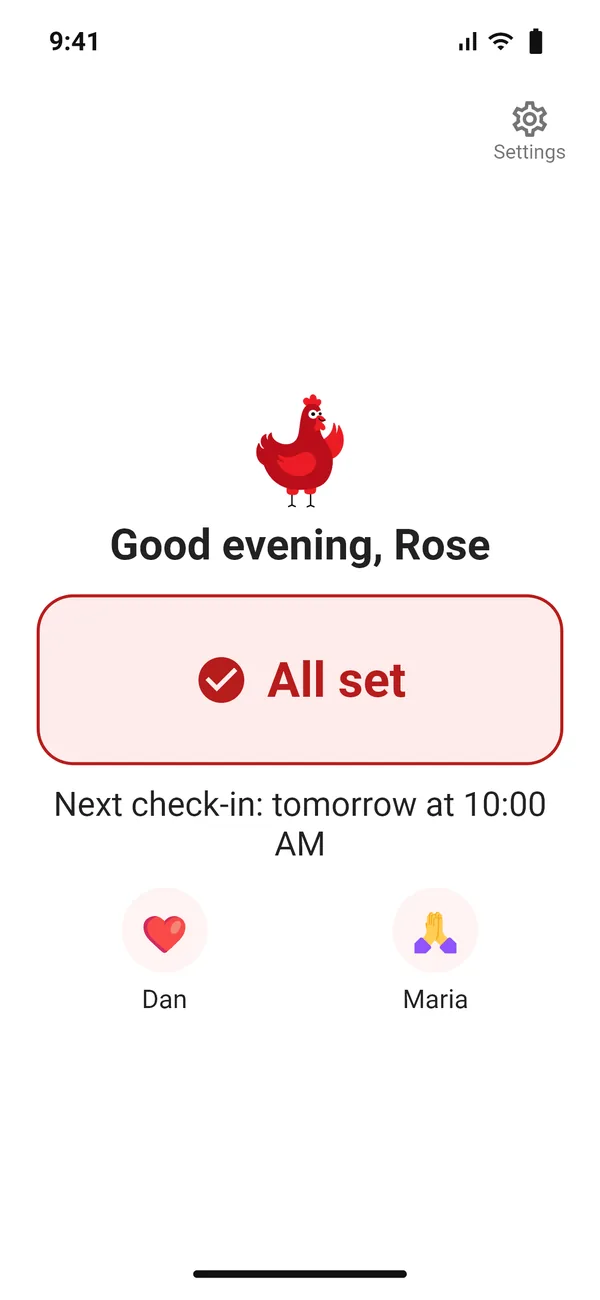
Send an emoji back. They see who sent it.
Start a group
Up to 12 people. Everyone sees each other's check ins, and a miss goes to the whole group.
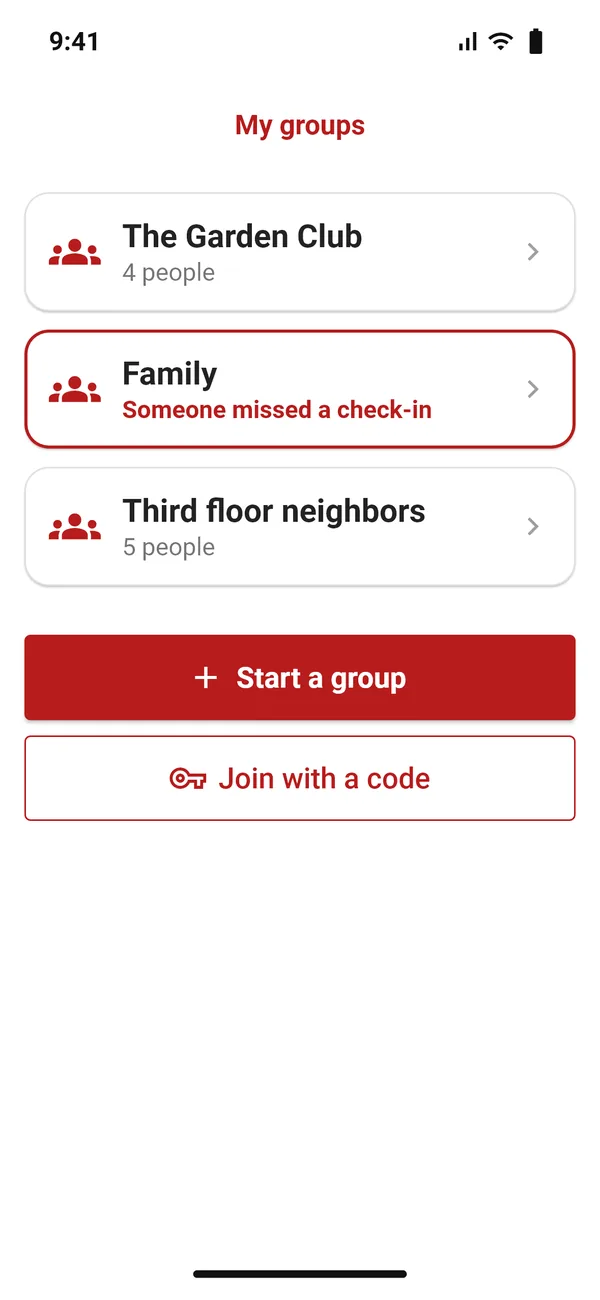
In Settings, My groups, tap Start a group.
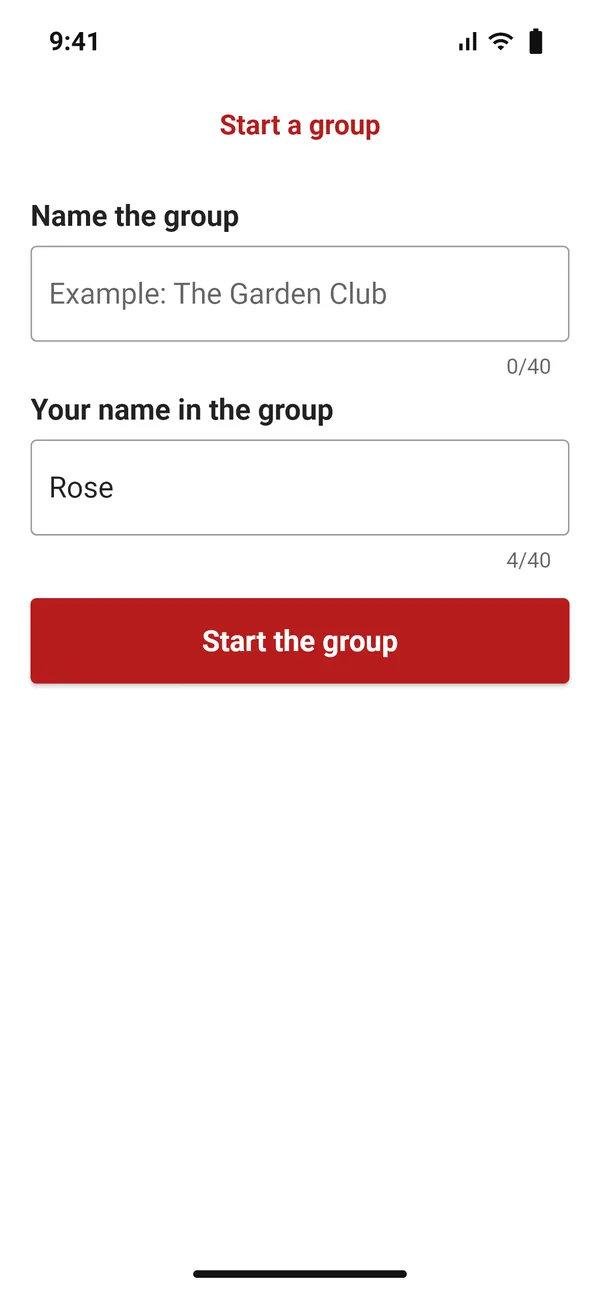
Name it and put the name you go by.
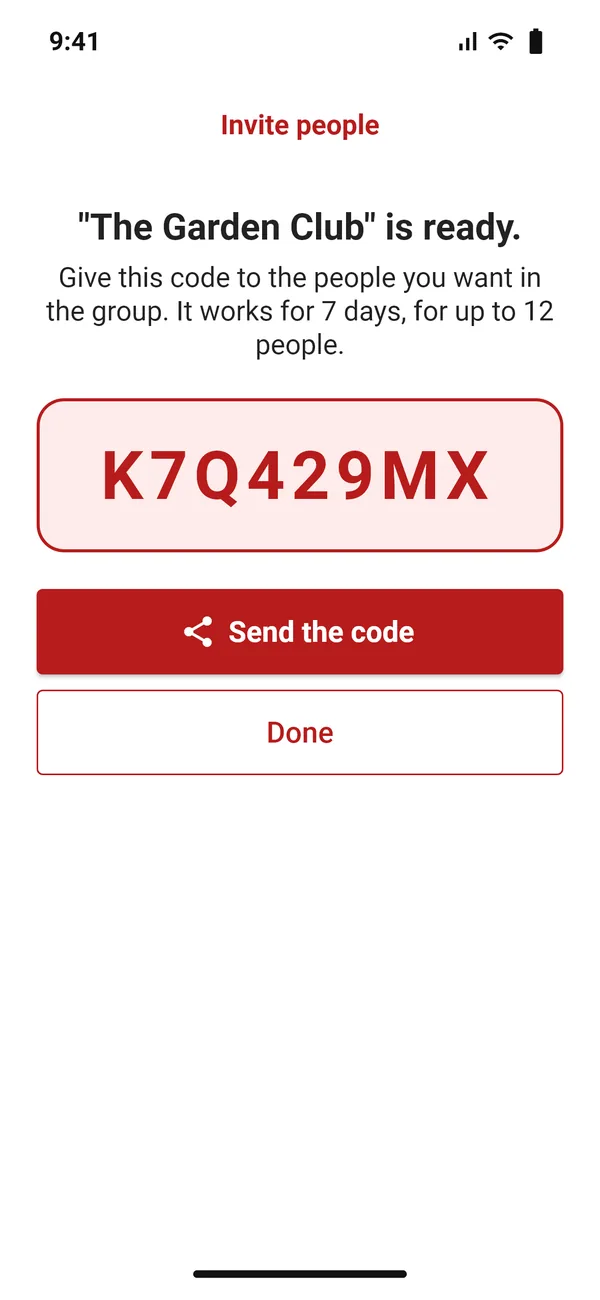
Send the code. It works for 7 days.
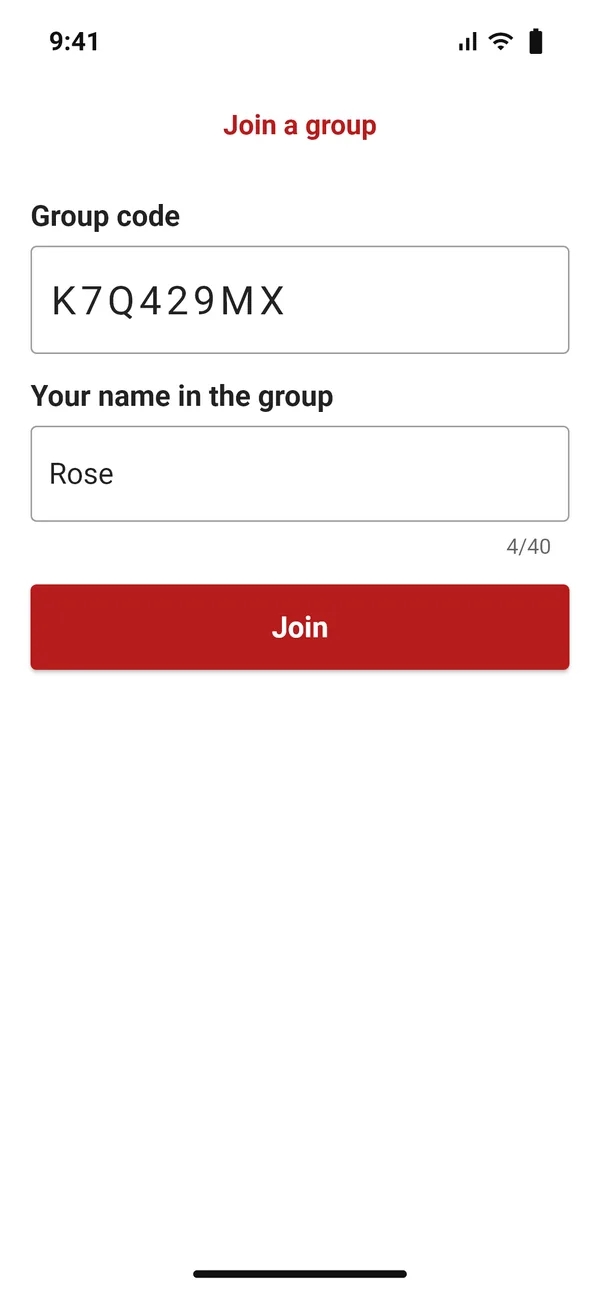
Each person taps Join with a code.
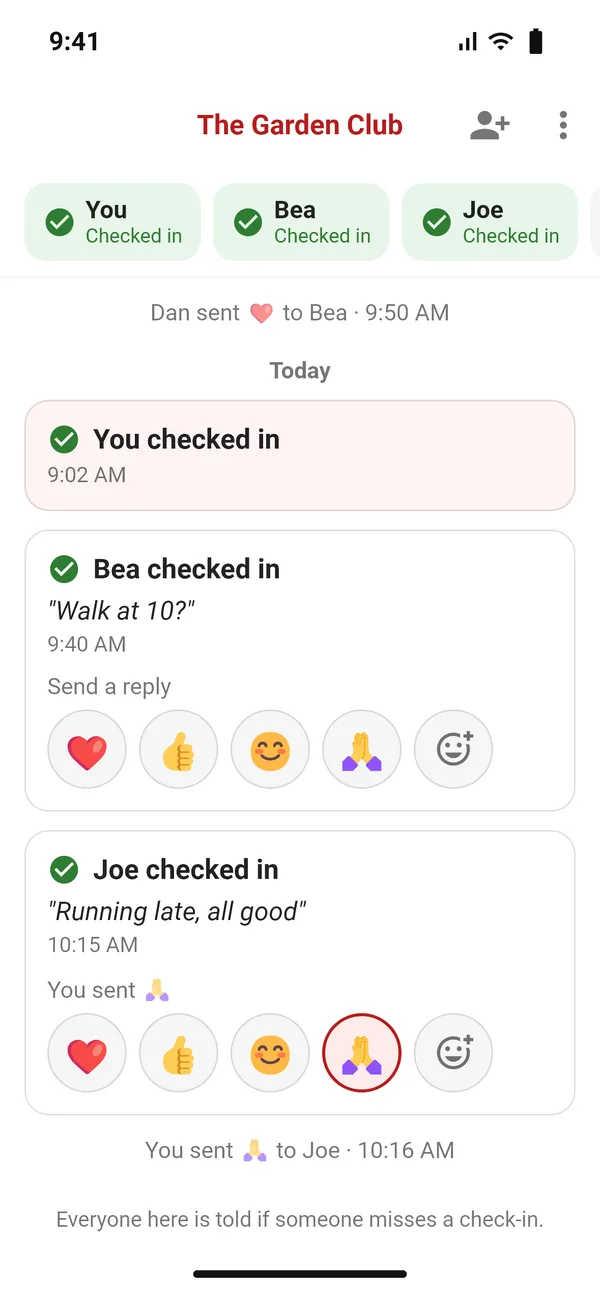
Check ins, notes and replies show up in one place.
Going away
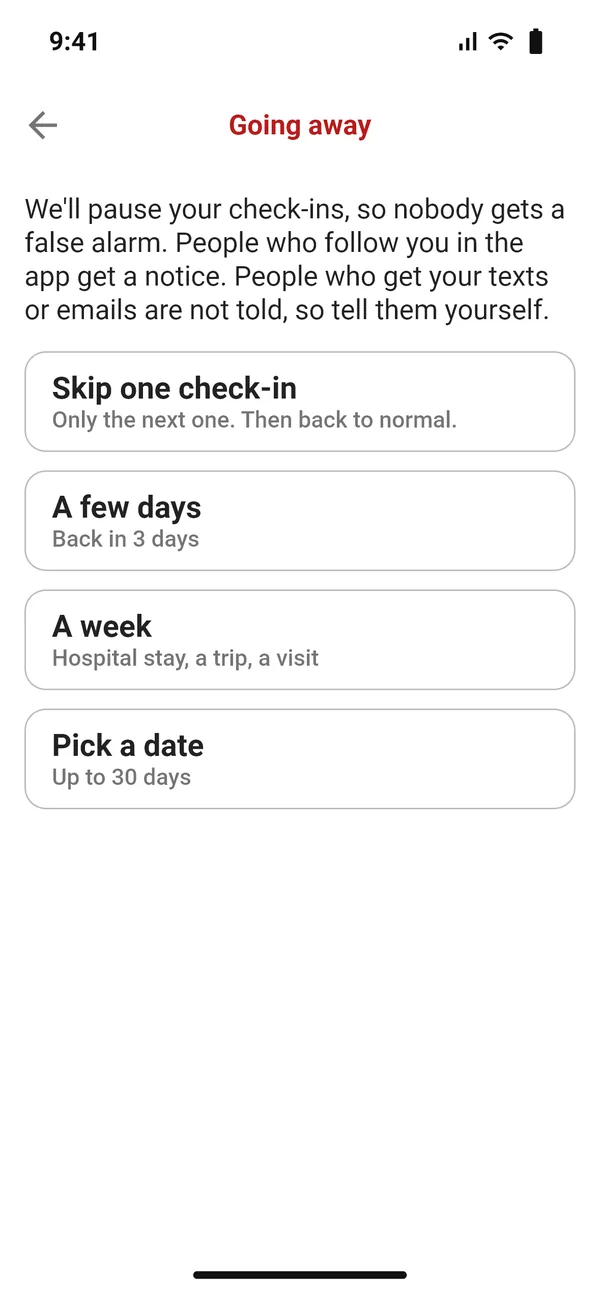
A trip, a hospital stay, a visit with family. Tell the app first so nobody gets a false alarm.
- Settings, Going away.
- Pick Skip one check-in, a few days, a week, or a date up to 30 days out.
- People who follow you in the app are told you're away, and when you'll be back. People who get your texts or emails are not told, so tell them yourself.
- Check in any time to come back early.
For organizations: your first week
- Apply on the website. We review it and email your Organization ID.
- In the portal, add members. Each one gets a one-time code to set up the app.
- Add staff on the Staff tab. They get an email to set their password, and can use the app or a computer.
- Assign members to staff or teams, or let everyone on duty see everyone.
- When someone misses, staff log the call or visit. The item stays open until someone reaches them.
- At the end of the month, print the Impact tab for your board or funders.
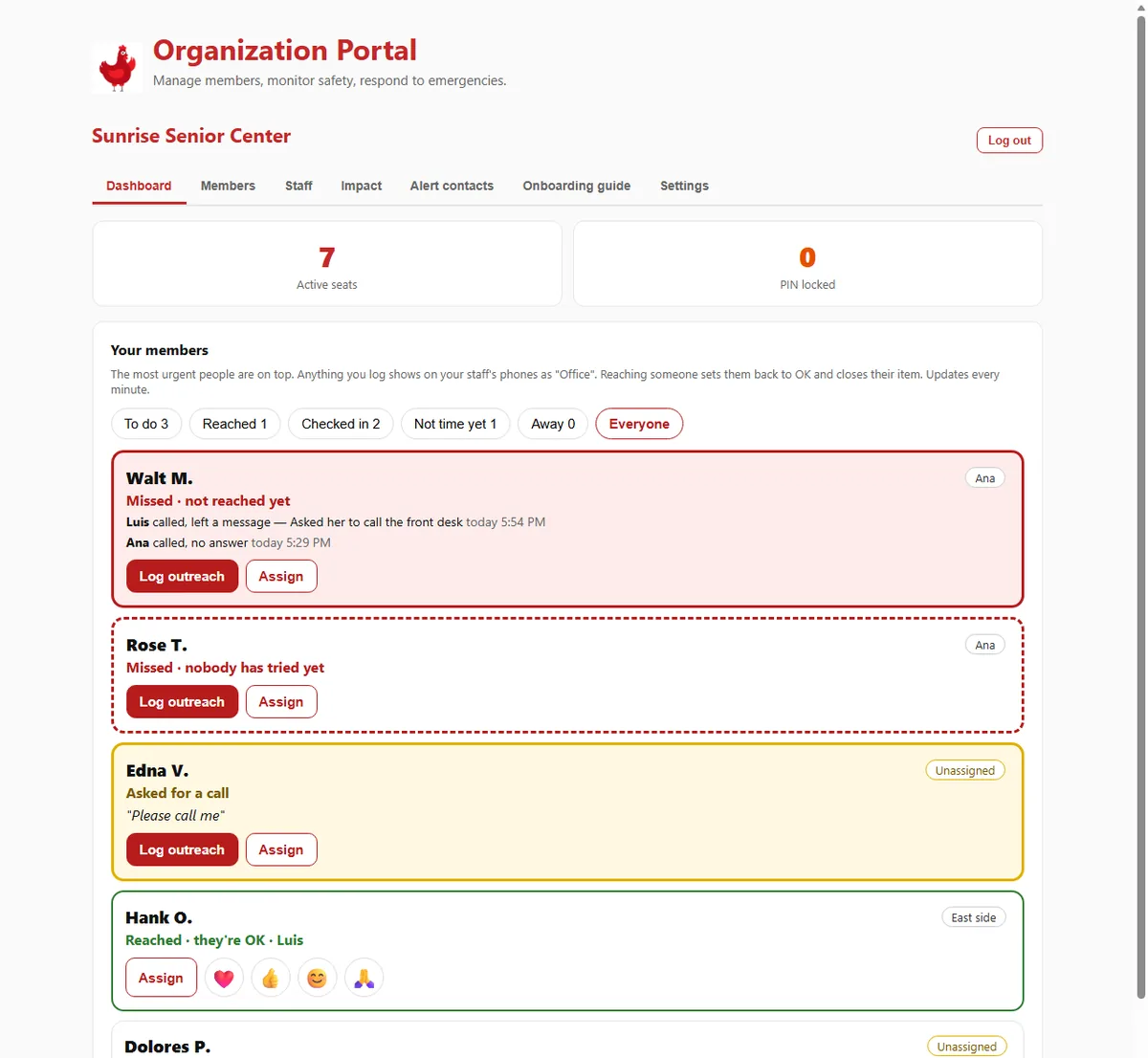
The organization portal, with made-up members.