 Just Chicken In
Be the check in contact for the people you serve
Human rights organizations, animal rescues, elder care providers, and community safety groups can manage daily check-ins for the people they serve. Organizations can be a check in contact for members without reliable local contacts.
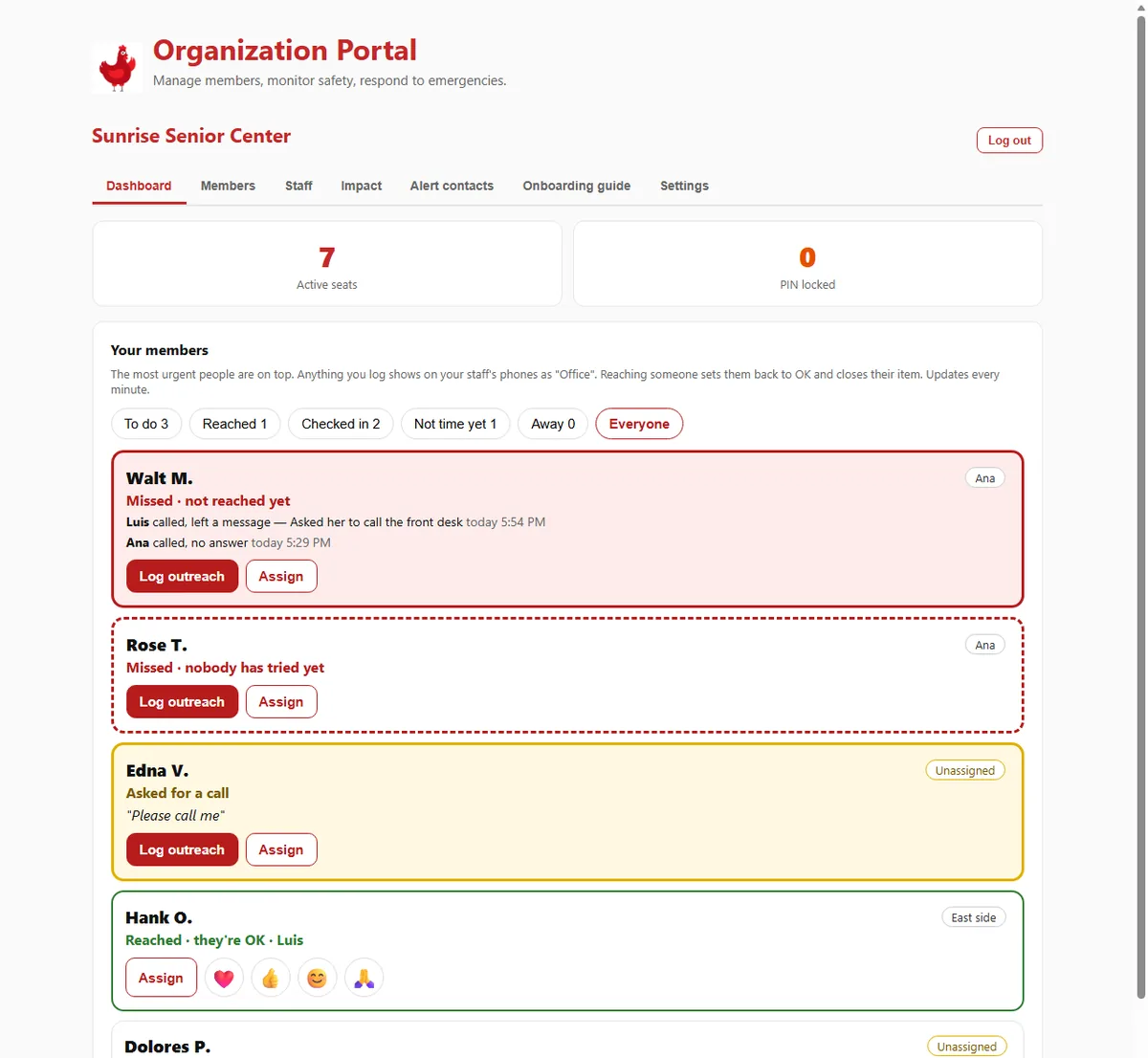
- One board, most urgent on top: missed and not reached yet, missed and nobody has tried, asked for a call, then everyone who is fine.
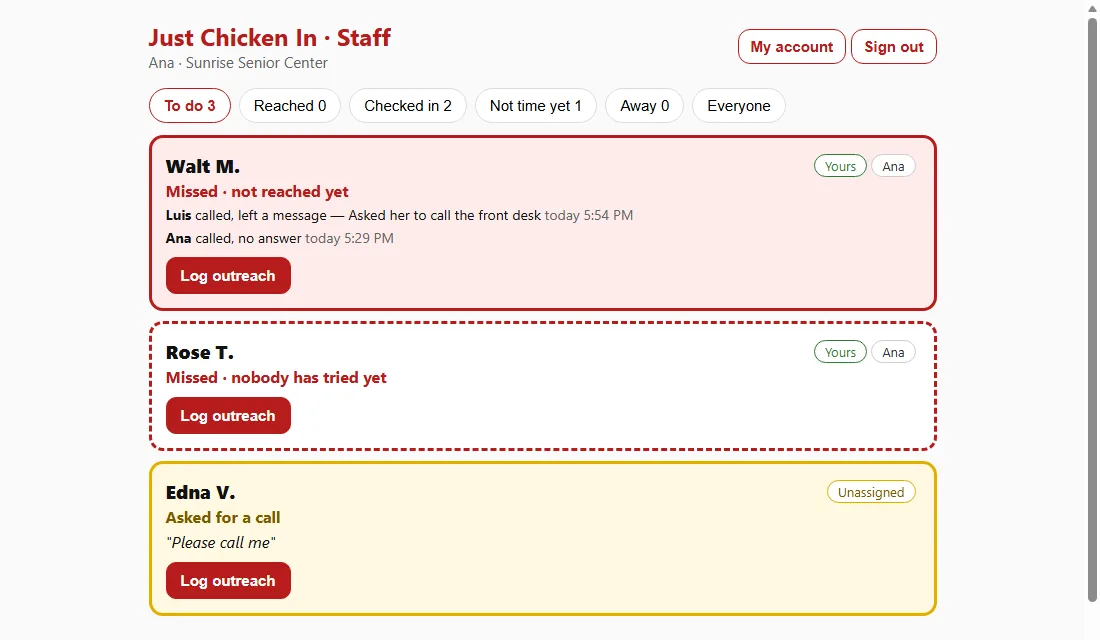
- Staff log what they did: called, left a message, went in person. Everyone sees the log.
- A missed check in stays open until someone actually reaches the person, by phone or in person, or they check in. Nobody can close it without contact.
- Assign members to staff or teams. Their phone gets an urgent alert when one of theirs misses.
- Staff sign in with their own email and password, with two-factor sign-in if you require it.
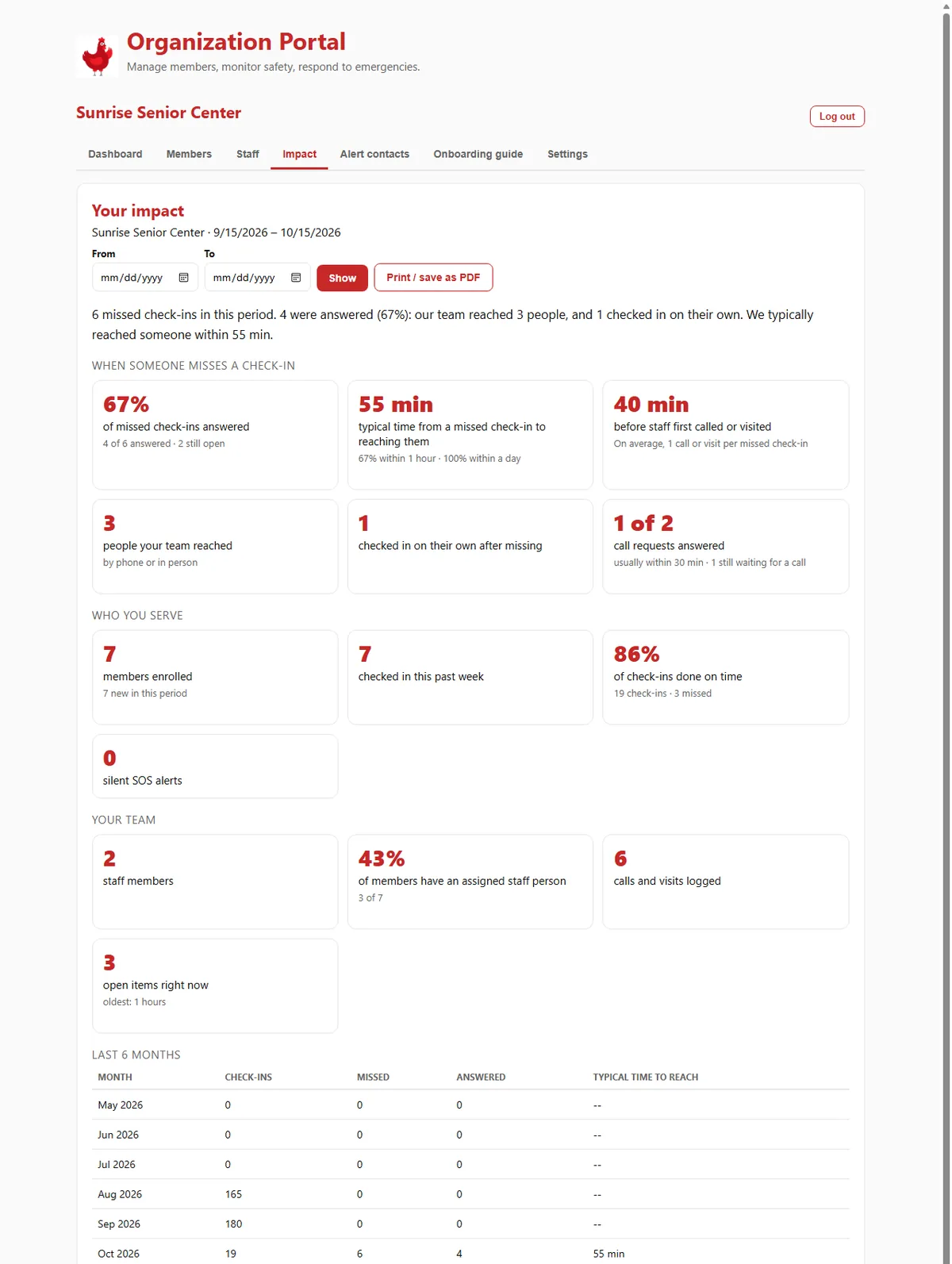
- An Impact tab with the numbers funders ask for: how many missed check ins were answered, and how fast. Prints to PDF.
Put your own name on it
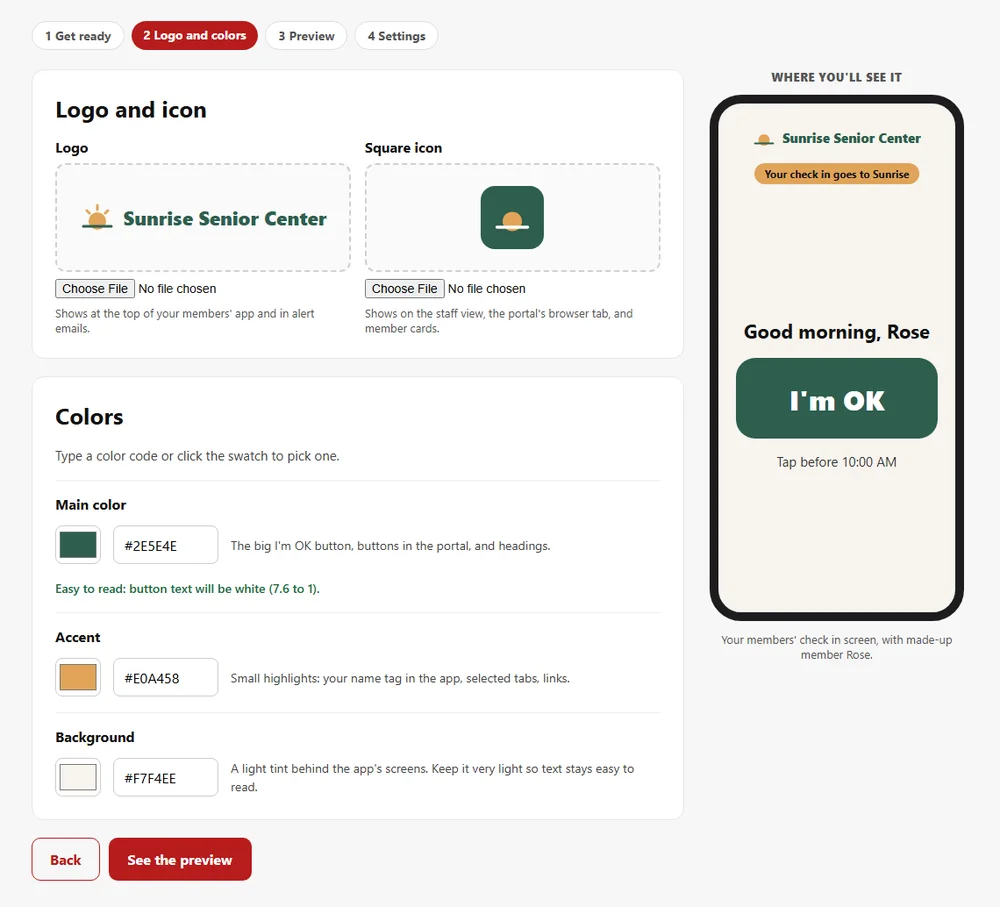
Your members can see your name, logo and colors in the app, and your staff see them in the portal. You set it up yourself in about ten minutes: upload your logo, pick your colors, check the preview, save.
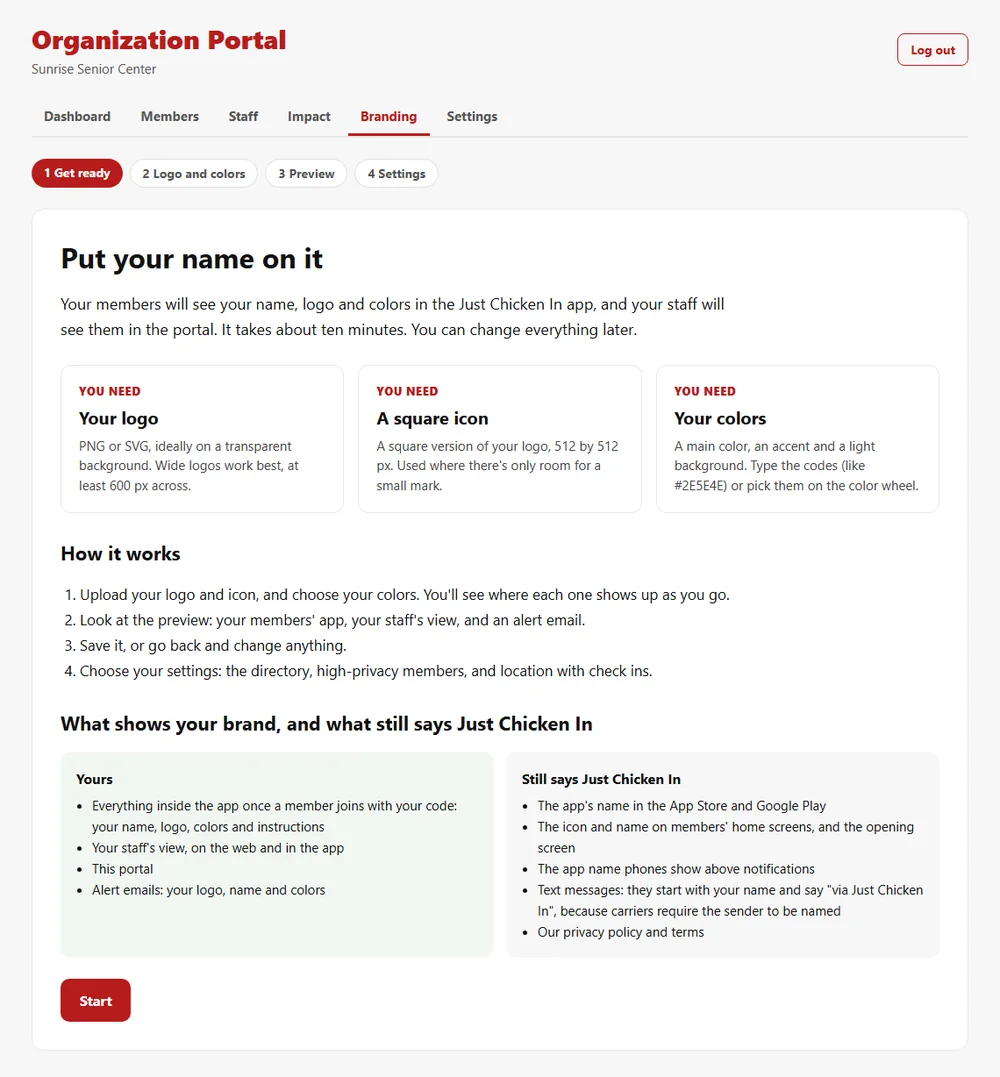
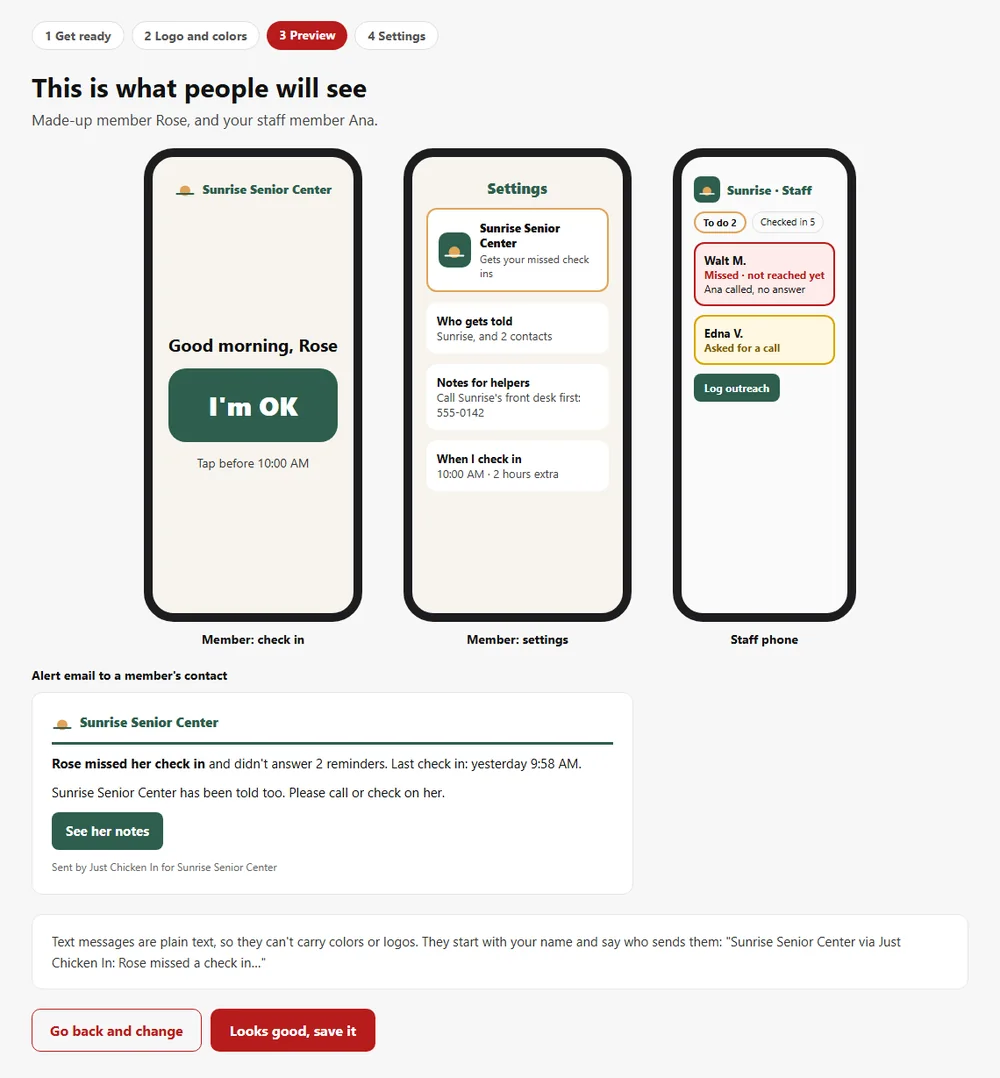
Shows your brand
- Everything inside the app once a member joins with your code: your name, logo, colors and instructions
- Your staff's view, on the web and in the app
- Your organization portal
- Alert emails: your logo, name and colors
Still says Just Chicken In
- The app's name in the App Store and Google Play
- The icon and name on members' home screens, and the opening screen
- The app name phones show above notifications
- Text messages: they start with your name and say "via Just Chicken In", because carriers require the sender to be named
- Our privacy policy and terms
Branding is included in your 30-day free trial. To keep it after that, it's $500 one-time, due at the end of the trial. If you don't, the app goes back to the standard look and everything keeps working.
Want your own app in the App Store and Google Play?
For incorporated organizations, we can publish a separate app with your own name and icon, under your own Apple and Google developer accounts, and keep it updated. Email hello@justchickenin.org for pricing.
What it costs
Every new organization gets 30 days free with up to 25 members, branding included. After that, 50¢ to $1.20 per member, per month. You can choose a plan sooner if you need more seats.
| Members | Per month | Per member |
|---|---|---|
| 1 | Free | |
| Up to 10 | $11.99 | from $1.20 |
| Up to 50 | $39.99 | from 80¢ |
| Up to 200 | $99.99 | from 50¢ |
| More than 200 | Ask us |
If cost is a barrier, say so when you apply. Donations cover organizations that can't pay.